

Docs / Features
How do I make room on my disk?
Beta Beta means it works and you can use it today, and it may still change as we hear from you.
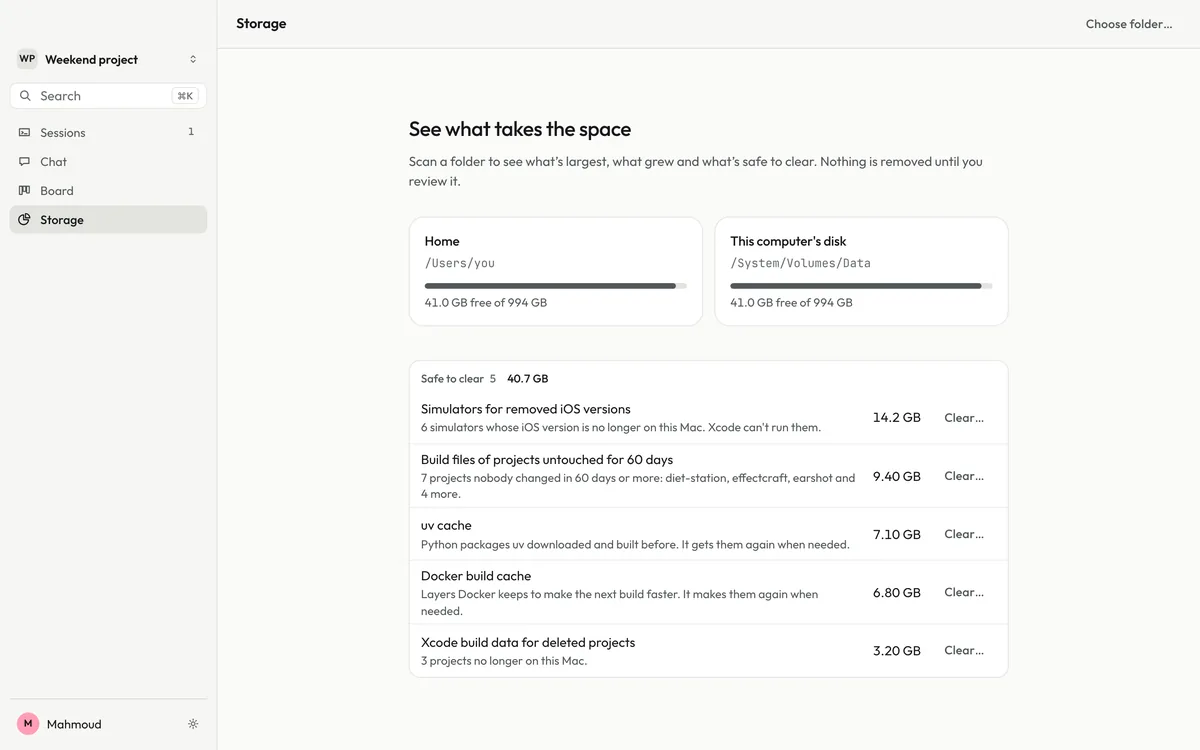
The desktop app’s Storage shows what takes the space on your computer and clears what is safe to clear, only after you review it.
Agents, simulators and build tools fill a disk fast. Storage shows what is largest and what grew, and lists what is safe to clear: things your tools make again on their own.
Set it up#
If Joxo is not set up yet, follow Getting started first. Then install the desktop app for Mac, Windows or Linux and sign in with the same account. Open Storage in the sidebar and pick a folder to scan.
Good to know#
- Nothing is removed until you review it.
- From a terminal,
joxo cleanlists the same kind of space and clears it only with--yes.